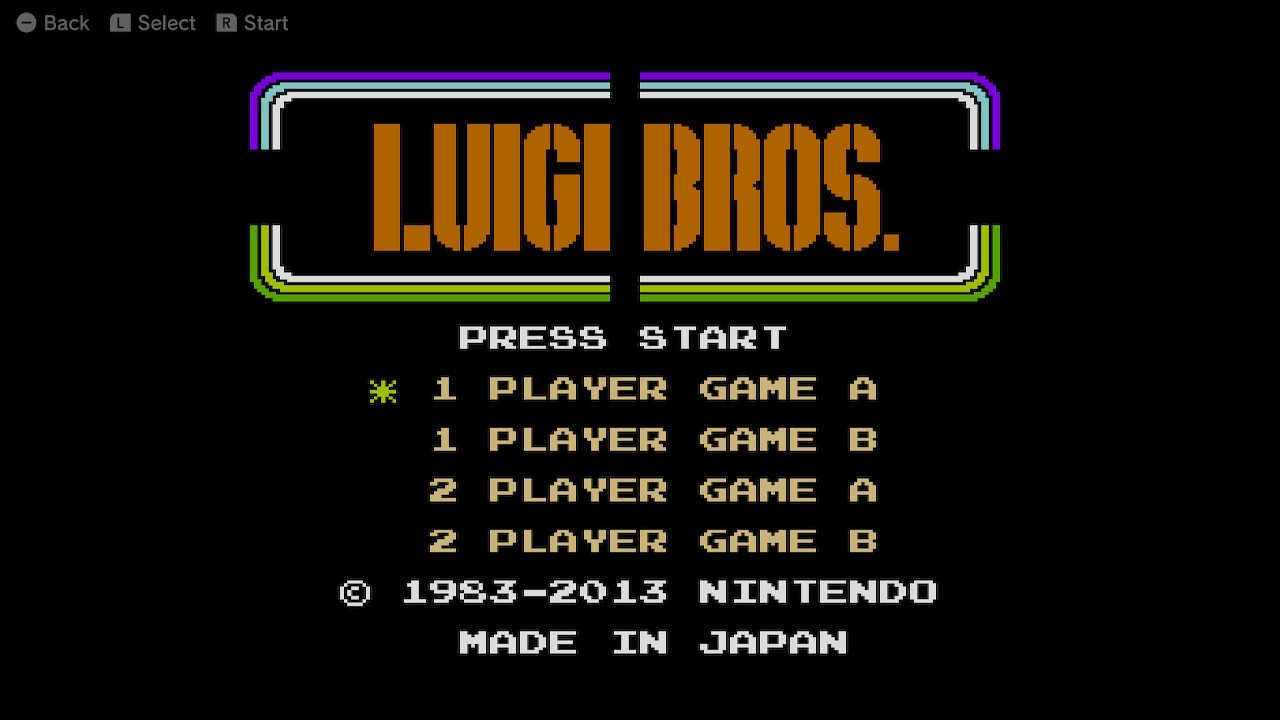
When Super Mario 3D Worldreleased in 2013, one cool feature about the Wii U adventure, was the Luigi Bros. remake available in-game and with Super Mario 3D World + Bowser’s Furyout now on the Nintendo Switch release, here is a quick little guide on how to acquire access to the additional game:
[Guide] How to Unlock Luigi Bros. in Super Mario 3D World + Bowser’s Fury:
Step 1: Beat the main story – After World 6, players will need to beat the entirety of both World Castle and the eighth world, World Bowser.
Step 2: Credits – Upon successfully beating Bowser and finishing the level Boss The Great Tower of Bowser Land, players can either choose to watch or skip the end credits.
Step 3: Resume the Adventure – After the credits, access Super Mario 3D World from the game selection menu.
Step 4: Ignorance is Bliss – On the title screen where players can resume their game, they should now be able to see a new accessible menu option to the left, depicting an image of Luigi.
Step 5: Luigi Time – Click on the icon to access the Luigi Bros. minigame.
In 2015, when rumours of the NX and Zelda U were everywhere, my brother and I started Miketendo64 and we've been running it ever since. As the Editor-in-Chief, I have attended video gaming events in three different countries, been to preview events, and penned more than 4,000 articles to date, ranging from news, to features, reviews, interviews and guides. I love gaming and I love all things Nintendo. I also love Networking, so don't be afaid to reach out.
Email: contact@miketendo64.com / jack.lo@miketendo64.com
Website: https://miketendo64.com/
YouTube channel: https://www.youtube.com/channel/UCyVMO4QgcniAjhLxoyc9n8Q
Websites store cookies to enhance functionality and personalise your experience. You can manage your preferences, but blocking some cookies may impact site performance and services.
Essential cookies enable basic functions and are necessary for the proper function of the website.
Name
Description
Duration
Cookie Preferences
This cookie is used to store the user's cookie consent preferences.
30 days
These cookies are needed for adding comments on this website.
Name
Description
Duration
comment_author
Used to track the user across multiple sessions.
Session
comment_author_email
Used to track the user across multiple sessions.
Session
comment_author_url
Used to track the user across multiple sessions.
Session
Statistics cookies collect information anonymously. This information helps us understand how visitors use our website.
Google Analytics is a powerful tool that tracks and analyzes website traffic for informed marketing decisions.
Used to distinguish new sessions and visits. This cookie is set when the GA.js javascript library is loaded and there is no existing __utmb cookie. The cookie is updated every time data is sent to the Google Analytics server.
30 minutes after last activity
__utmc
Used only with old Urchin versions of Google Analytics and not with GA.js. Was used to distinguish between new sessions and visits at the end of a session.
End of session (browser)
__utmz
Contains information about the traffic source or campaign that directed user to the website. The cookie is set when the GA.js javascript is loaded and updated when data is sent to the Google Anaytics server
6 months after last activity
__utmv
Contains custom information set by the web developer via the _setCustomVar method in Google Analytics. This cookie is updated every time new data is sent to the Google Analytics server.
2 years after last activity
__utmx
Used to determine whether a user is included in an A / B or Multivariate test.
18 months
_ga
ID used to identify users
2 years
_gali
Used by Google Analytics to determine which links on a page are being clicked
30 seconds
_ga_
ID used to identify users
2 years
_gid
ID used to identify users for 24 hours after last activity
24 hours
_gat
Used to monitor number of Google Analytics server requests when using Google Tag Manager
1 minute
_gac_
Contains information related to marketing campaigns of the user. These are shared with Google AdWords / Google Ads when the Google Ads and Google Analytics accounts are linked together.
90 days
__utma
ID used to identify users and sessions
2 years after last activity
__utmt
Used to monitor number of Google Analytics server requests