

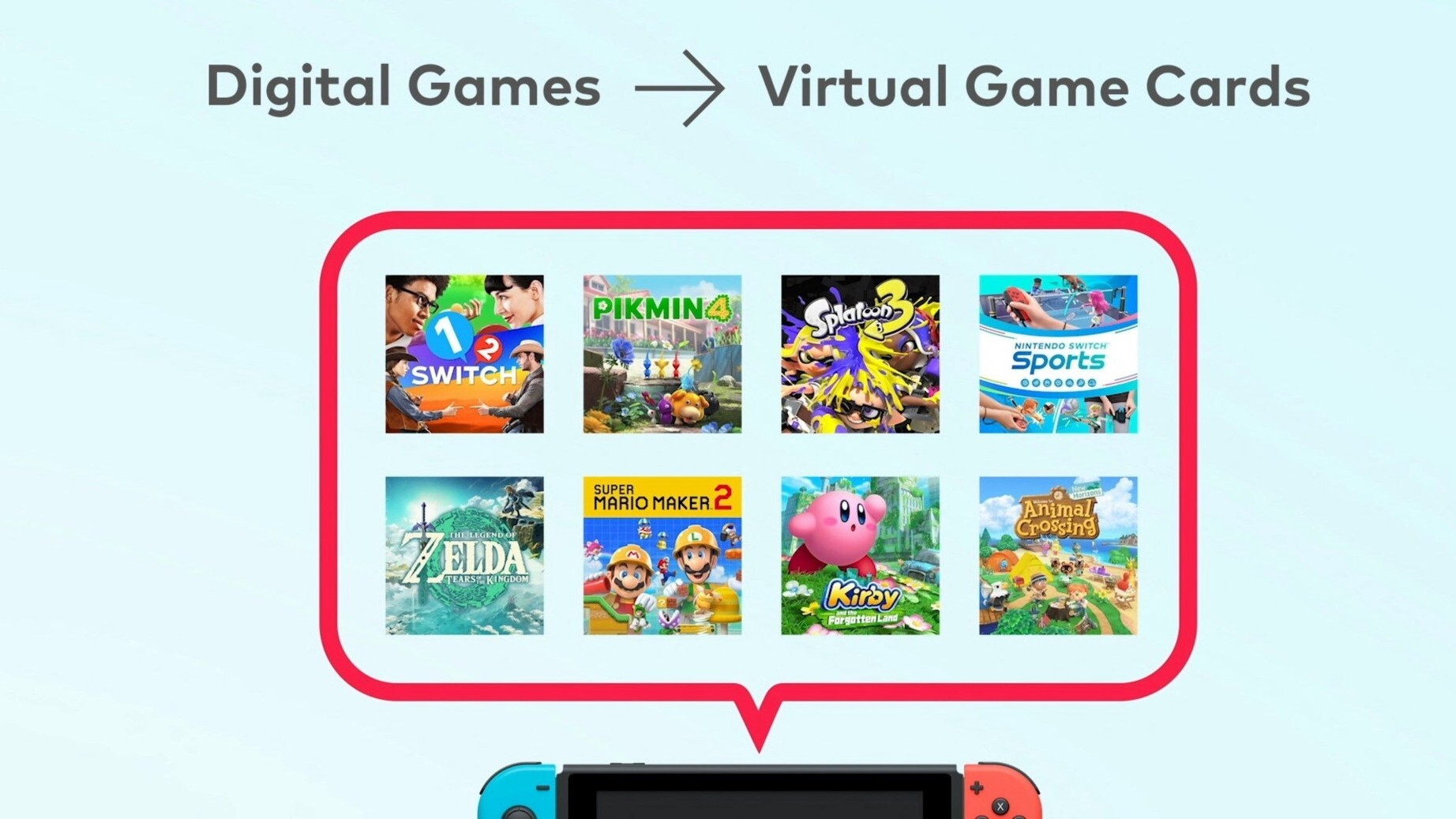
From mii to you with digital sharing.
While not necessarily the greatest Nintendo Direct we’ve seen, there can be no denying the quantity of surprises. One of the biggest twists that Nintendo had in store for us was the reveal of Virtual Game cards. Like with physical game cards and how players can insert them into different Nintendo Switch consoles, or lend them to friends, the virtual version will allow players to do the same, but only up to two weeks at a time. This feature is said to become available in late April 2025 via a software update, with Virtual Game cards also working with the1 Nintendo Switch 2 at launch. For the official announcement, we have it here:Introducing the virtual game card – a new feature for easily managing purchased digital games, playing games on two different systems, and even lending or borrowing games. Similar in concept to moving physical game cards between systems, virtual game cards make it possible to “eject” a purchased digital title from one Nintendo Switch system and “load” it onto another – whether it belongs to a member of the same Nintendo Account family group, or a second system tied to your account. This optional feature allows you to view virtual game cards or eject them from your system. The digital game can also be lent to a Nintendo Account family group member’s system via local wireless connection. Games that you lend can then be played on a Nintendo Account family group member’s system for two weeks, after which the game will be automatically returned to you. This feature will be available on Nintendo Switch starting late April via a hardware system update. Additionally, virtual game cards will also work with Nintendo Switch 2 systems at launch.Since announcing the feature, Nintendo has since provided even more details on how it will function:
Virtual game cards make digital games even easier to use:
The virtual game card feature for Nintendo Switch* and Nintendo Switch 2 systems adds some of the flexibility of physical game cards to your digital game library!
If you have two systems, you can digitally eject and load games from one system to another—and you can even lend games to members of your Nintendo Account family group.
Open the HOME Menu and select Virtual Game Cards.
View your digital game library.
Virtual game cards may not be available for demos and some Nintendo Switch Online member exclusive games.
Select the game you want to load—and start playing as soon as the game data is downloaded!
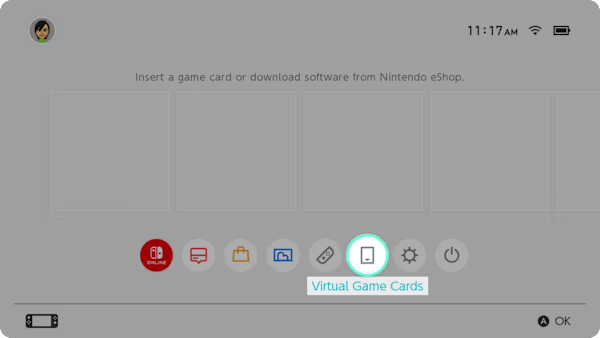
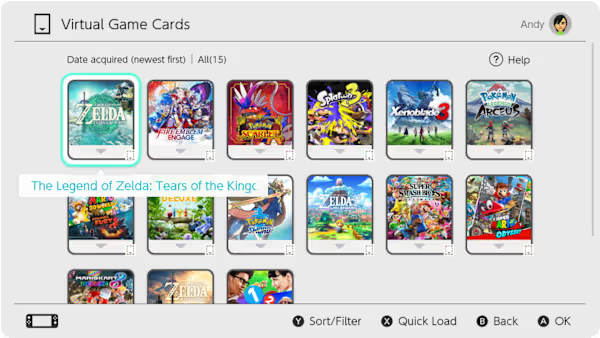
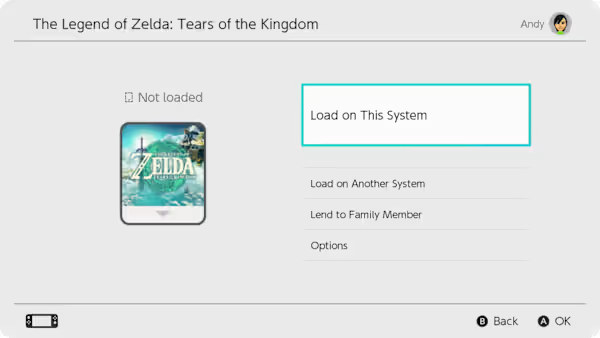
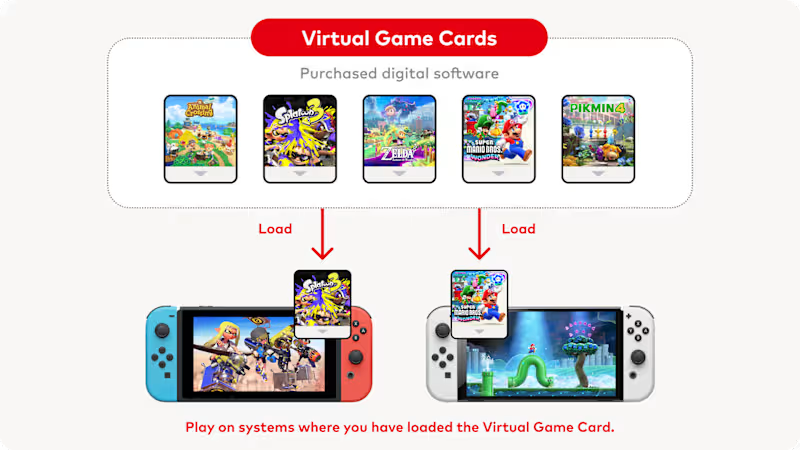
Move your games between systems:
If you have two different systems linked to the same Nintendo Account**, you can choose which system to play it on—just like with a physical game card. Simply eject the virtual game card from one system and load it onto the other.
Once a virtual game card is loaded to a system***, not only can you play it without an internet connection, but other user accounts on the system can play, too.
You can also manage and load virtual game cards via your Nintendo Account on the Nintendo website.
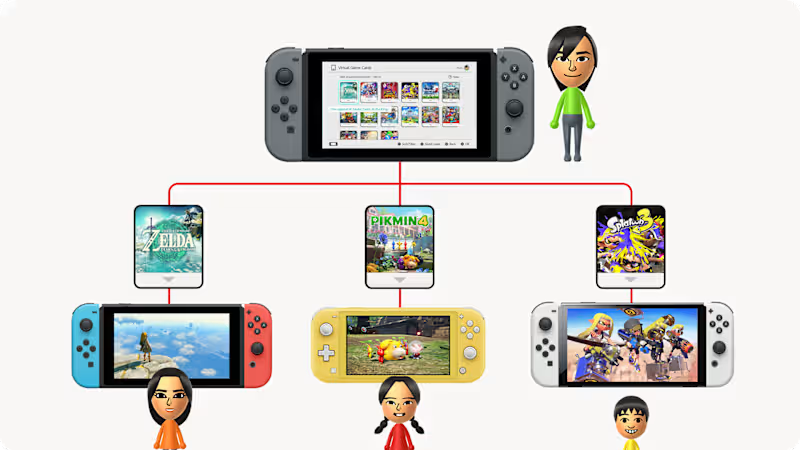
Lend games to members of your Nintendo Account family group:
You can also lend out virtual game cards to your Nintendo Account family group members. Just connect to your family group member’s system via local wireless when you want to lend a game. Both systems must also be connected to the internet.
You can lend one game per account for 14 days (unless the borrower returns it earlier).
After the game is returned the borrower will still have their save data, so they’ll be able to start where they left off if they borrow again or purchase the game.
Both local wireless and internet communication are required for lending software. Please note that some games, such as games available only as part of a Nintendo Switch Online membership, cannot be lent out.
Share this:

Discover more from
Subscribe to get the latest posts sent to your email.